Authorizer List
Report Parameters
|
Field |
Description |
|---|---|
|
Report Name |
The name of the report. |
|
Authorizers |
Select an authorizer from the drop-down menu. Users can select multiple or all the authorizers from the list to be displayed in the report generated. |
|
PMS Post Departments |
Select a department from the drop-down menu. Users can select multiple or all the departments from the list to be displayed in the report generated. |
|
Sort By |
Available options include the following:
|
|
Include Inactive Authorizers and PMS Post Departments |
When enabled, inactive authorizers and PMS post departments are included in the report. |
|
Supress Authorizer code |
When enabled, the authorizer code for each staff or department combination is not printed. |
|
Display Post Type Setup |
When enabled, the post types that the authorizer may comp are displayed. |
|
Page Break |
When enabled, page breaks are included in the report. |
Sample Report
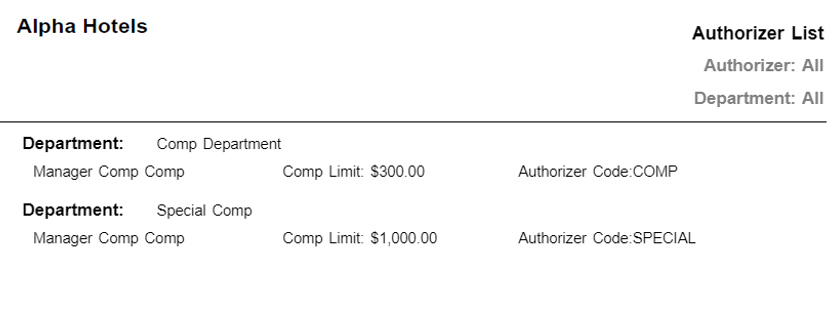
Report Fields
|
Field |
Description |
|---|---|
|
Department |
The name of the PMS department issuing the comp. |
|
Staff name |
The last name and first name of the staff. |
|
Comp Limit |
The maximum amount allowed to be comped. |
|
Authorizer Code |
Displays the authorizer code of the authorizer. |